Dark mode
Apply online
How to fill in the PSBA online application form. It has 5 parts and takes about 15 to 20 minutes.
Who: Anyone applying to PSBA. You don't need an account.
Where: The PSBA online application page. Ask the Admissions Office for the link.
Have ready: Your email address, mobile number, your parents' or guardian's contact details, and the name of your last school.
Staff can fill this in for you
If you're at the Admissions Office, staff can enter your application for you using the same form.
Part 1 — Program
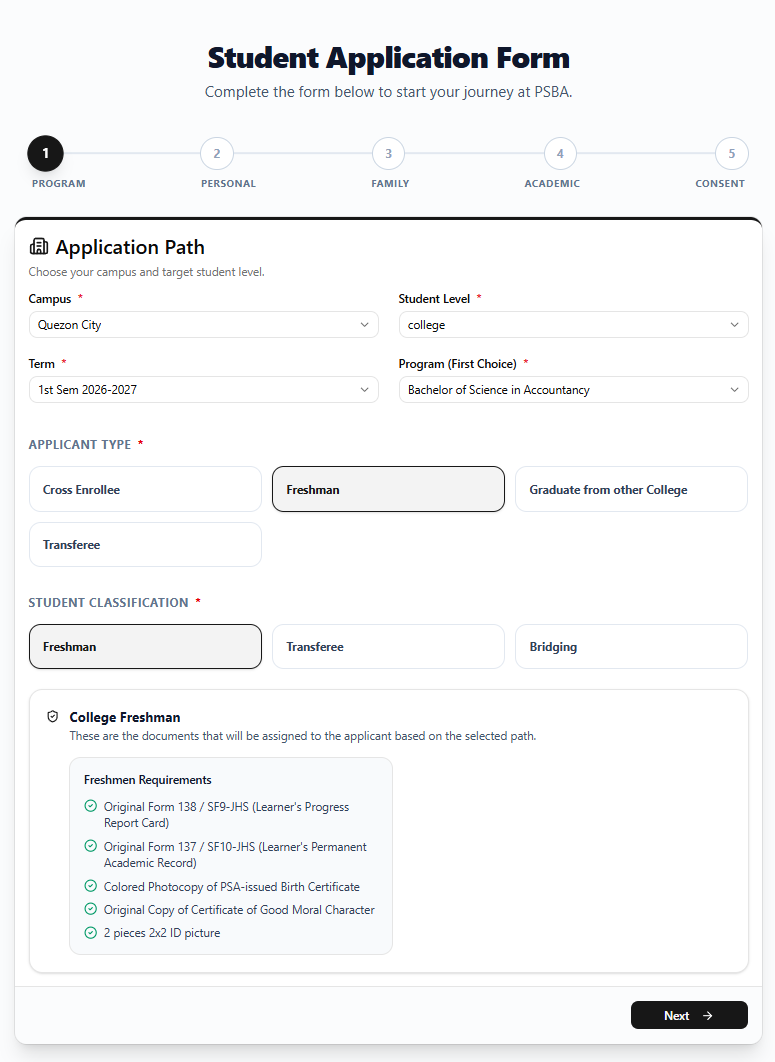
Choose what you are applying for.
- Pick the Campus (for example, Quezon City).
- Pick your Student Level: College, Senior High School, or Graduate School.
- Pick the Term you want to start (for example, 1st Sem 2026-2027).
- Pick your Program (First Choice).
- Click your Applicant Type (for example, Freshman or Transferee).
- Click your Student Classification.
- Senior High only: choose your voucher path. Graduate School only: choose MBA or DBA.
- Look at the list of documents that appears at the bottom. These are the documents you will need to upload later.
- Click Next.
Part 2 — Personal information
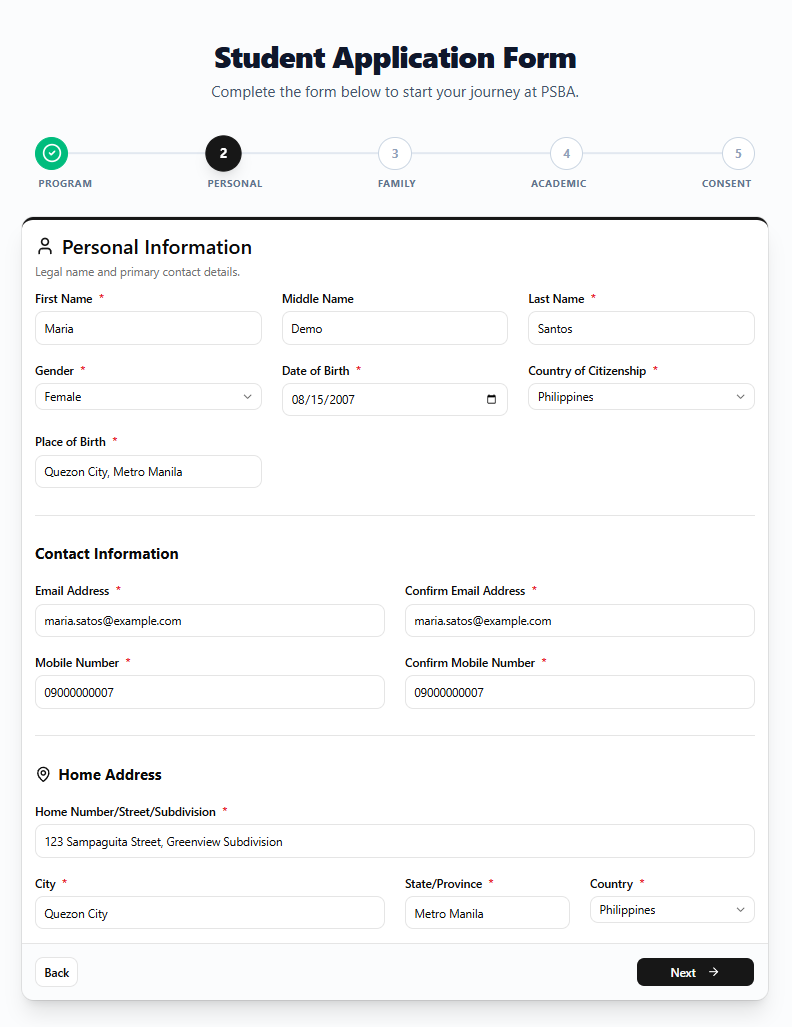
- Type your First Name, Middle Name and Last Name.
- Choose your Gender, Date of Birth, Country of Citizenship, and type your Place of Birth.
- Type your Email Address twice. Both must match.
- Type your Mobile Number twice. Both must match. Use the format 09XXXXXXXXX or +639XXXXXXXXX.
- Type your Home Address, City, State/Province and Country.
- Click Next.
Use an email you check often
Your personal application link will be sent to this email. Each email address can only be used for one application.
Part 3 — Family
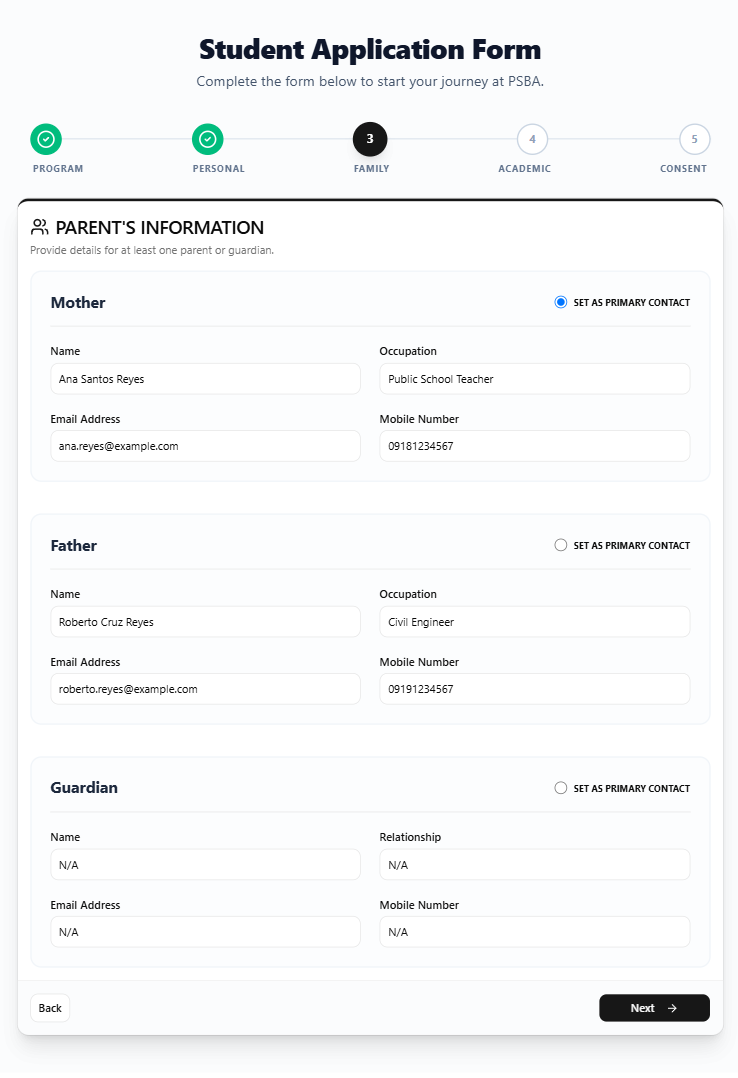
Fill in at least one parent or guardian: their name, and an email or mobile number.
- Fill in the Mother, Father and/or Guardian sections.
- Click Set as primary contact on the person the school should contact first.
- Click Next.
Part 4 — Academic background and health
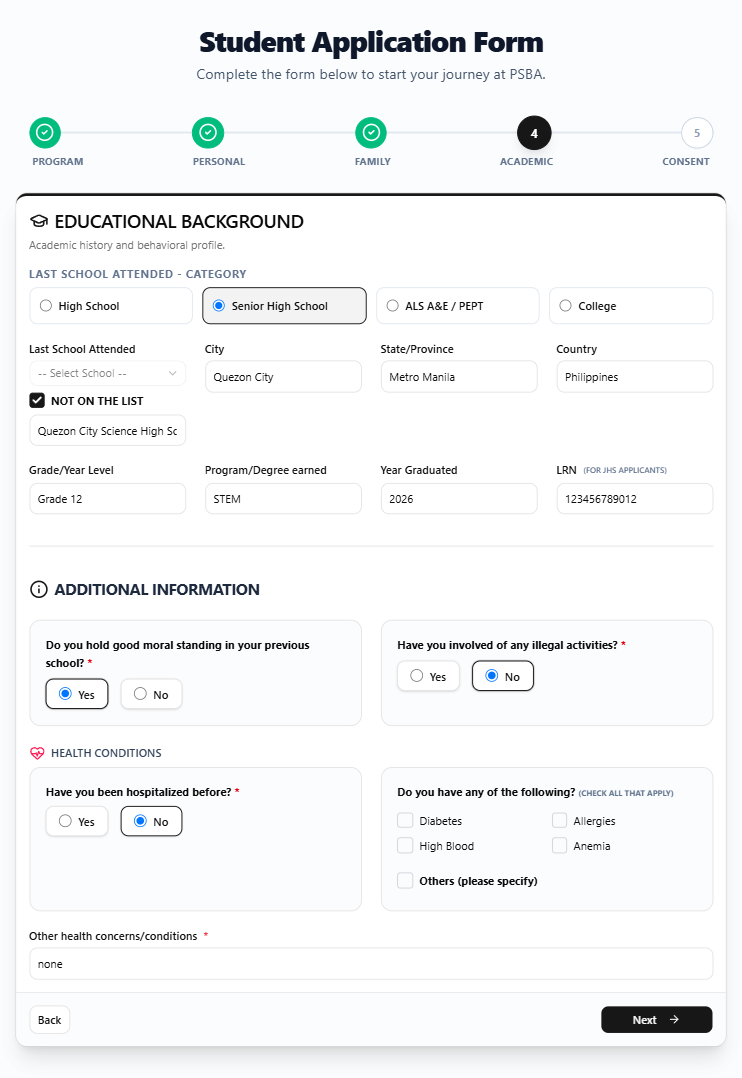
- Choose the category of your last school (High School, Senior High School, ALS, or College).
- Choose your Last School Attended from the list. If it's not there, tick NOT ON THE LIST and type the name.
- Fill in the Grade/Year Level, Program/Degree earned, Year Graduated and LRN (if you have one).
- Answer the yes/no questions about good moral standing, illegal activities, and past hospitalization.
- Tick any health conditions that apply, and fill in Other health concerns/conditions (type "none" if none).
- Click Next.
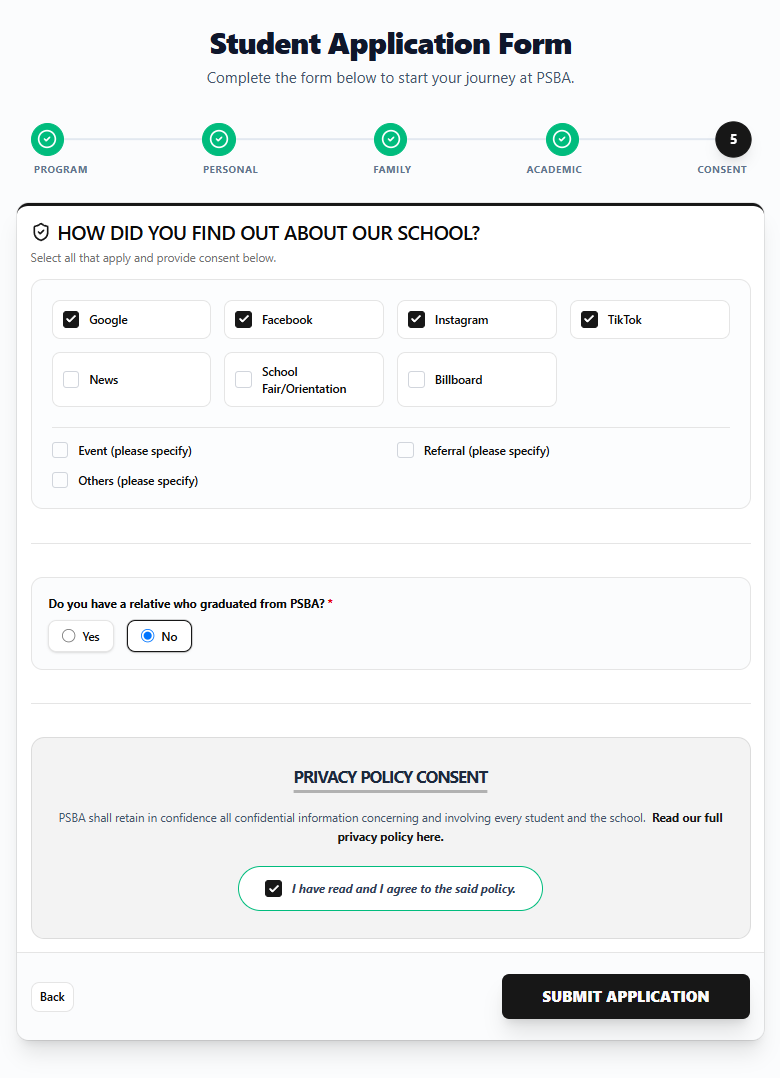
Part 5 — How you heard about us, and consent
- Tick every way you heard about PSBA (for example, Google, Facebook, a school fair, a referral). Pick at least one.
- Answer whether you have a relative who graduated from PSBA.
- Read the privacy policy and tick I have read and I agree to the said policy.
- Click SUBMIT APPLICATION.
What happens after you submit
- A confirmation page appears.
- You get an email with your personal links: one to upload your documents and one to track your application.
- The Admissions Office is told about your application.
If the email doesn't arrive, your application was still saved. Check your spam folder, or contact the Admissions Office.
👉 Next: Track your application and upload documents
If something goes wrong
| Message | What to do |
|---|---|
| "An account with this email already exists." | This email was already used. Use a different email, or contact Admissions if you already applied. |
| The form won't go to the next part | Look for a box with a red star (*) that's still empty, or emails/mobile numbers that don't match. |
| Your mobile number is refused | Use the format 09XXXXXXXXX or +639XXXXXXXXX. |